


What Is?
A journalist investigating public spending may have to examine hundreds of contracts, financial reports, emails and official documents. Finding an important detail among thousands of pages can take days.
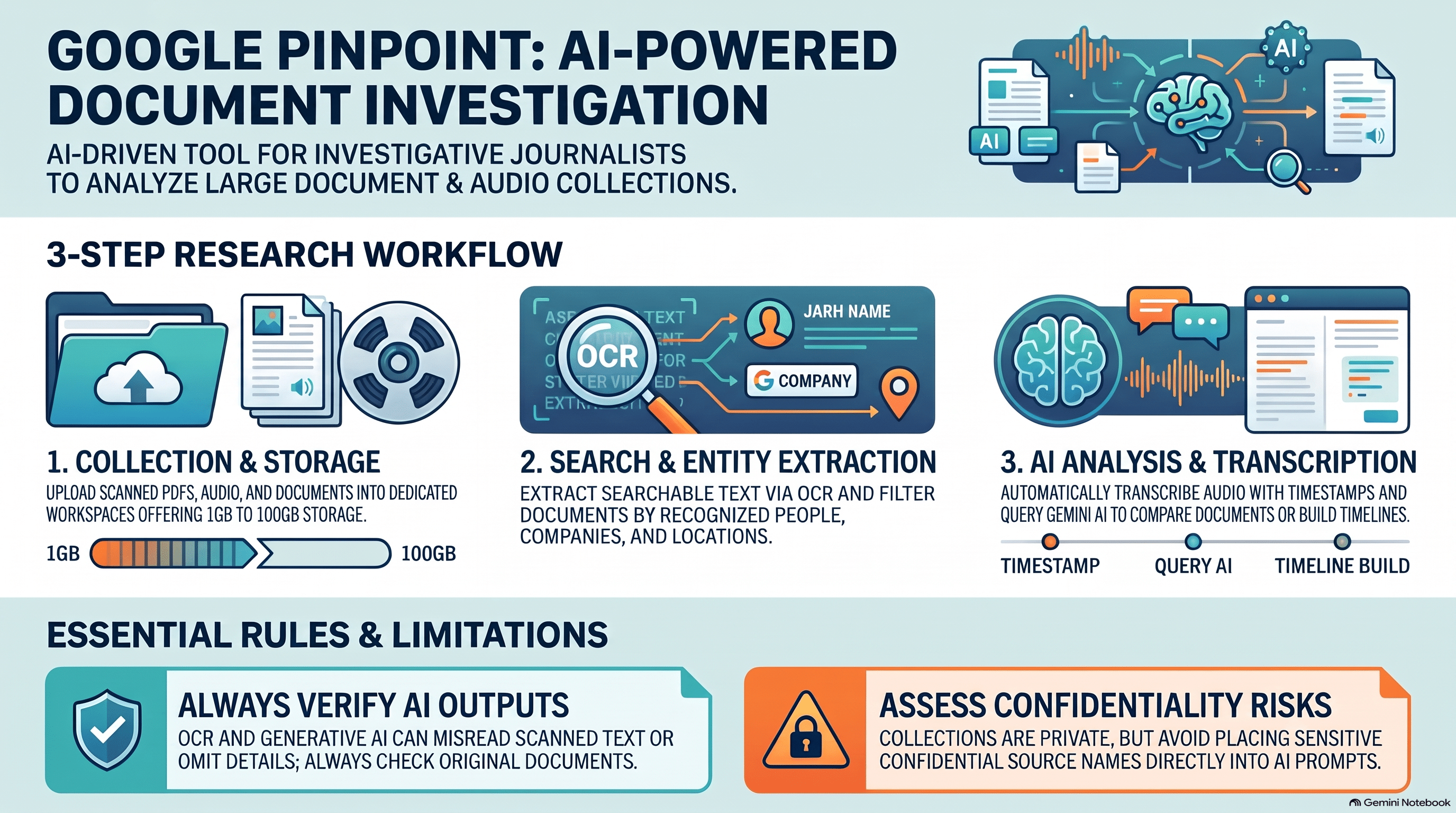
Google Pinpoint is a free research tool designed to make this work faster. Developed as part of the Google News Initiative, it uses artificial intelligence to search, analyse and organise large collections of documents.
It can recognise text in scanned PDFs, identify references to people, companies and places, and automatically transcribe audio recordings.
Pinpoint also integrates Google’s Gemini AI, allowing journalists to ask questions about documents, compare information and identify potential stories. Some advanced features require additional access.

How to use it
STEP 1. Create your account
Visit and sign in with your Google account.
You can start with the free service. Journalists can also apply for Pinpoint for Professionals, which provides greater storage capacity and higher usage limits.
The standard account offers 1 GB of storage. The professional version provides 100 GB, subject to eligibility and approval.
STEP 2. Create a collection
Select Create a new private collection and give it a descriptive name, such as Public Transport Investigation.
A collection is a dedicated workspace where you can store and examine documents related to a particular story.
STEP 3. Upload
Click Add documents and select files from your computer or Google Drive.
Pinpoint supports several formats, including PDFs, Word documents, spreadsheets, photographs, emails and audio recordings.
It uses optical character recognition (OCR) to extract searchable text from scanned documents. Processing large collections may take several hours.
STEP 4. Search
Once the documents have been processed, enter a name, company or keyword in the search bar.
Pinpoint searches across your collection and displays relevant results.
It also identifies references to people, organisations and locations, allowing you to filter documents by these entities.
For greater accuracy, use quotation marks to search for an exact phrase. You can also combine search terms or exclude unwanted words.
STEP 5. Transcribe Interviews
Upload an audio recording of an interview or press conference.
Pinpoint generates a searchable transcript. You can listen to the original recording and navigate to relevant passages using the associated timestamps.
The transcript can then be corrected manually.
This is particularly useful when a journalist needs to locate a specific statement in a lengthy interview.
STEP 6. Ask with Gemini AI
Where the generative AI features are available, open the research panel and enter a question.
For example:
“Which documents mention increases in the cost of this project?”
Or:
“Compare these three contracts and identify differences in their financial terms.”
Gemini can also summarise documents, extract structured information and build timelines. Some features remain subject to geographical restrictions, usage limits or early-access approval.
Always examine the original documents before using an AI-generated answer in a published story.
A Practical Example
Imagine that a local journalist receives 300 public procurement documents concerning the construction of a new railway station.
The reporter uploads the documents to Pinpoint and searches for the names of companies awarded contracts.
The journalist can then investigate how frequently particular suppliers appear, locate references to contract amendments and examine documents mentioning additional expenditure.
Using Gemini, the reporter may also compare selected contracts or request a timeline of significant events.
These findings can suggest questions worth pursuing. They do not establish wrongdoing or prove relationships between companies.
The journalist must check the evidence, obtain independent confirmation and offer relevant parties an opportunity to respond.
The limitations
Pinpoint is a powerful research assistant, but its results require careful verification.
OCR can misread poorly scanned documents. Automatic transcription may produce incorrect names, figures or quotations. AI-generated summaries can omit important qualifications or make factual mistakes.
Confidentiality is another consideration. Collections are private by default, and Google states that privately uploaded documents are not used to train large language models. However, some generative AI interactions may be reviewed to improve the service.
Journalists should therefore assess confidentiality risks before uploading sensitive material and avoid including identifying details about confidential sources in AI prompts.
Why Try It
Google Pinpoint is particularly valuable for investigative reporters, data journalists and anyone working with extensive documentary evidence.
It can reduce the time spent searching for information, make recorded interviews easier to examine and help journalists identify questions that deserve further investigation.
Its main advantage is practical: a reporter can search hundreds of documents through a single interface while retaining access to the original evidence.
For journalists working on complex investigations, Pinpoint is one of the most useful free research tools currently available.
(TRANSLATED BY AI)
